Browser storage, without opening DevTools
A free Chrome extension to inspect, edit, and snapshot localStorage, sessionStorage, and cookies, in a panel that docks right beside your page.
Works inand other Chromium browsers
Coming soon
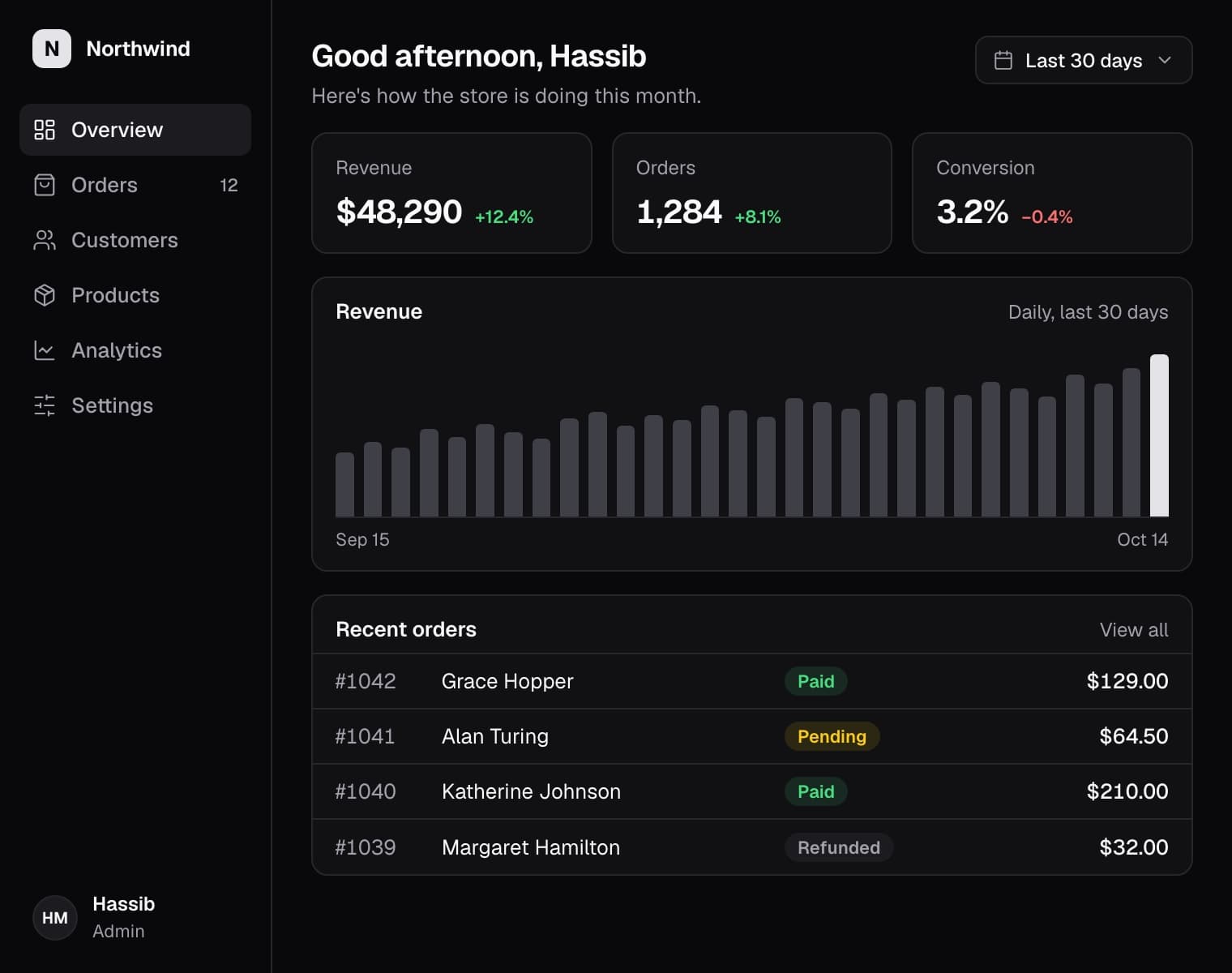
Three steps. No friction.
From install to first snapshot in under a minute.
Install and pin it
One click on the Chrome Web Store. Chrome hides new extensions behind the puzzle-piece icon, so pin StorageKit once and it's always there.
Dock it beside your page
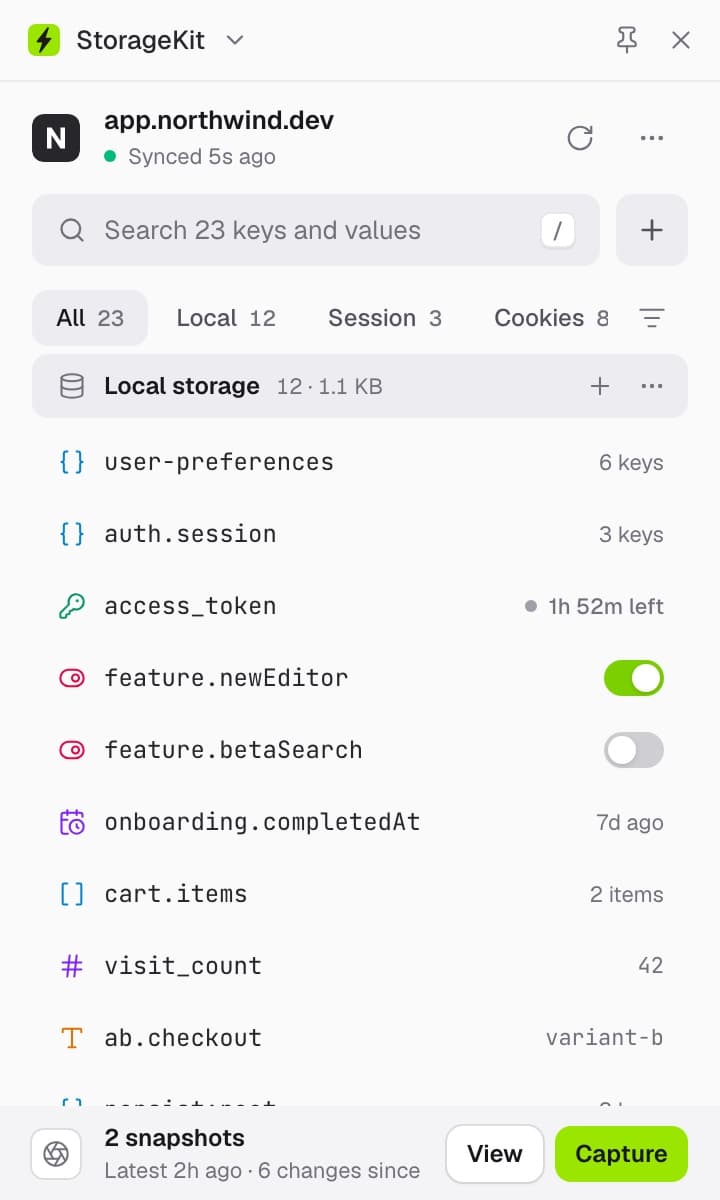
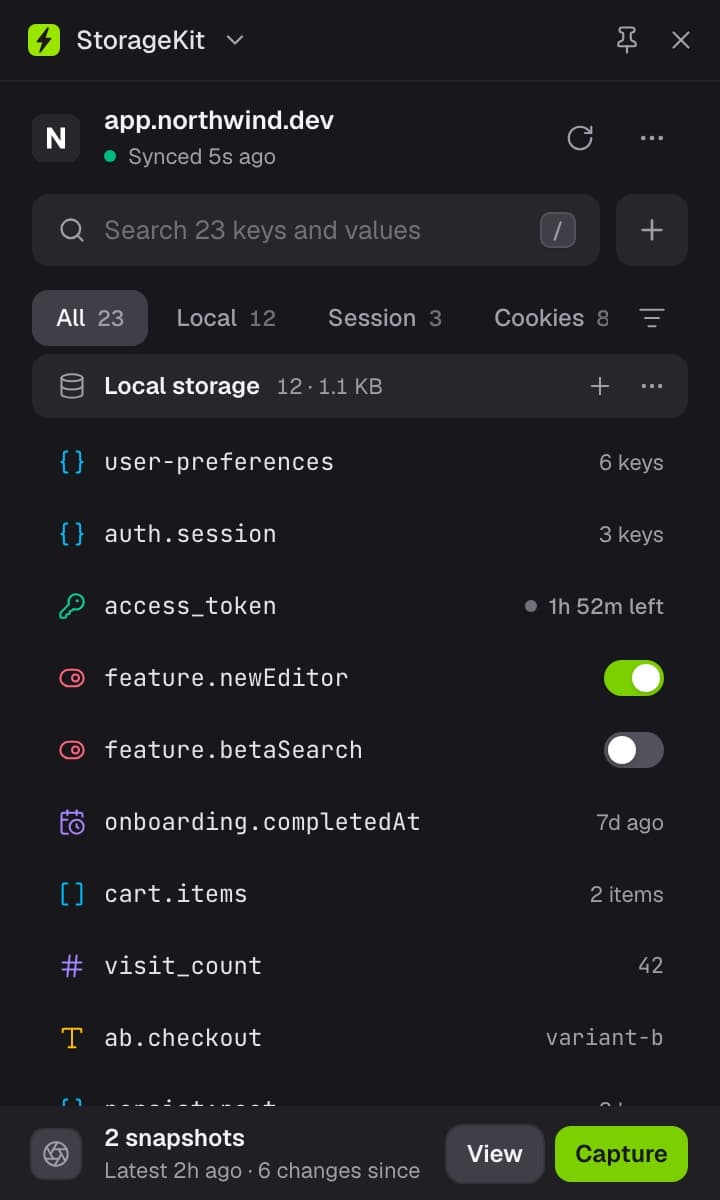
Click the icon for a quick look, or open it in the side panel to keep it there. It follows you across tab switches and reloads.
Snapshot your state
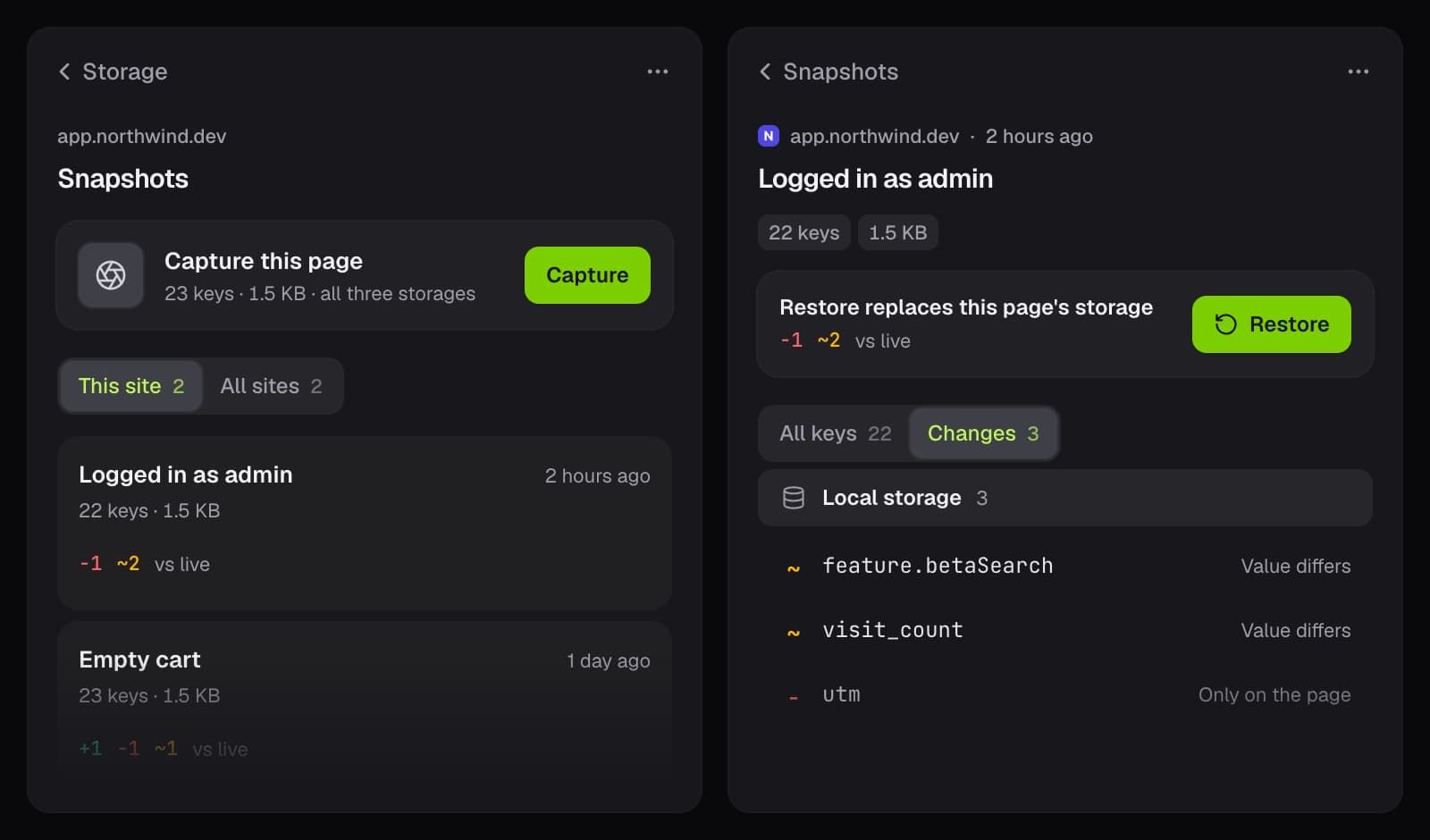
Capture your entire storage state with one click. Compare it with the live page any time, restore it after a logout, or export it as JSON for a teammate.
Five things the Application panel won't do
Snapshots, JWT decoding, and a real JSON editor, in one panel beside your page.
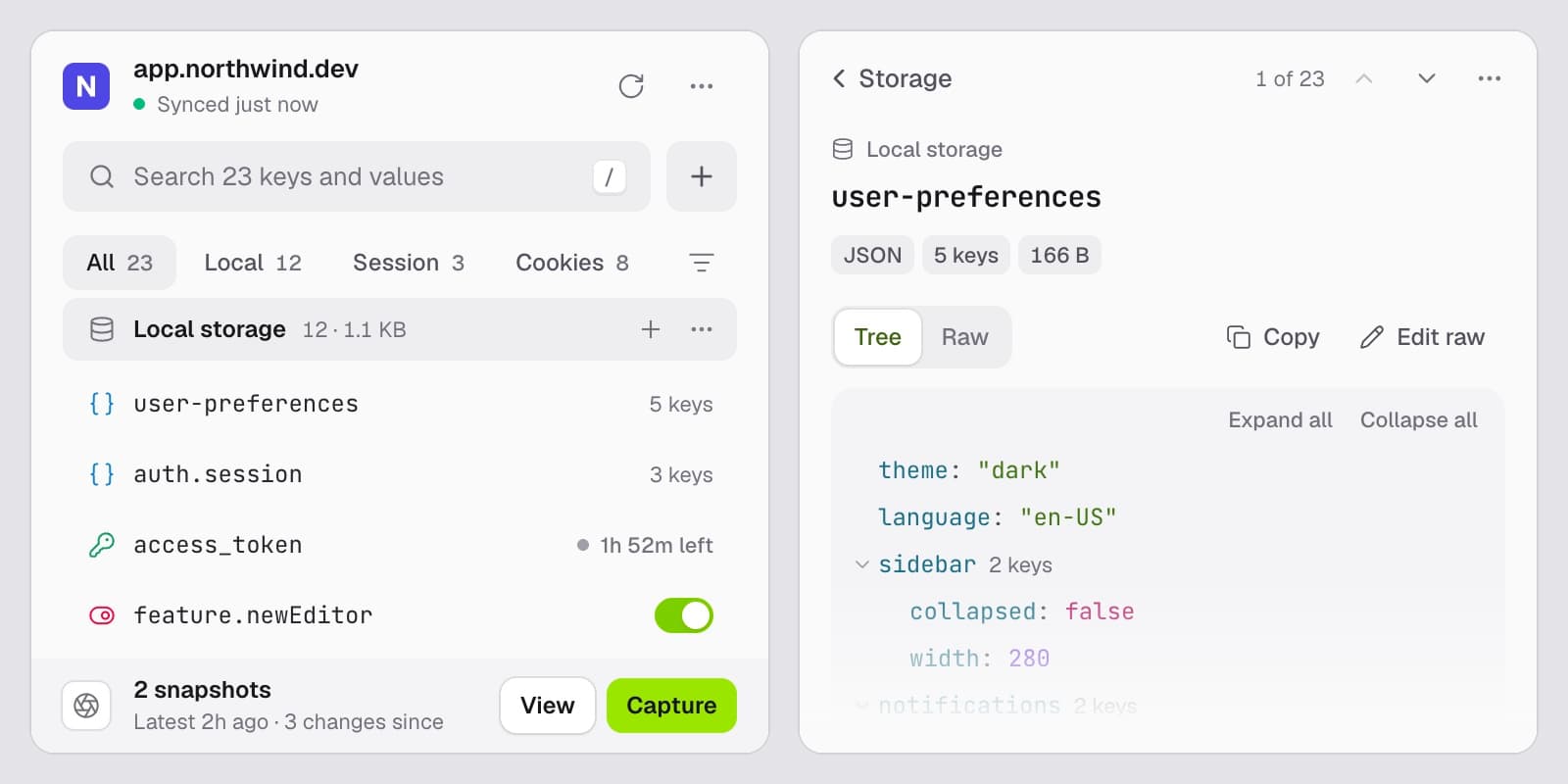
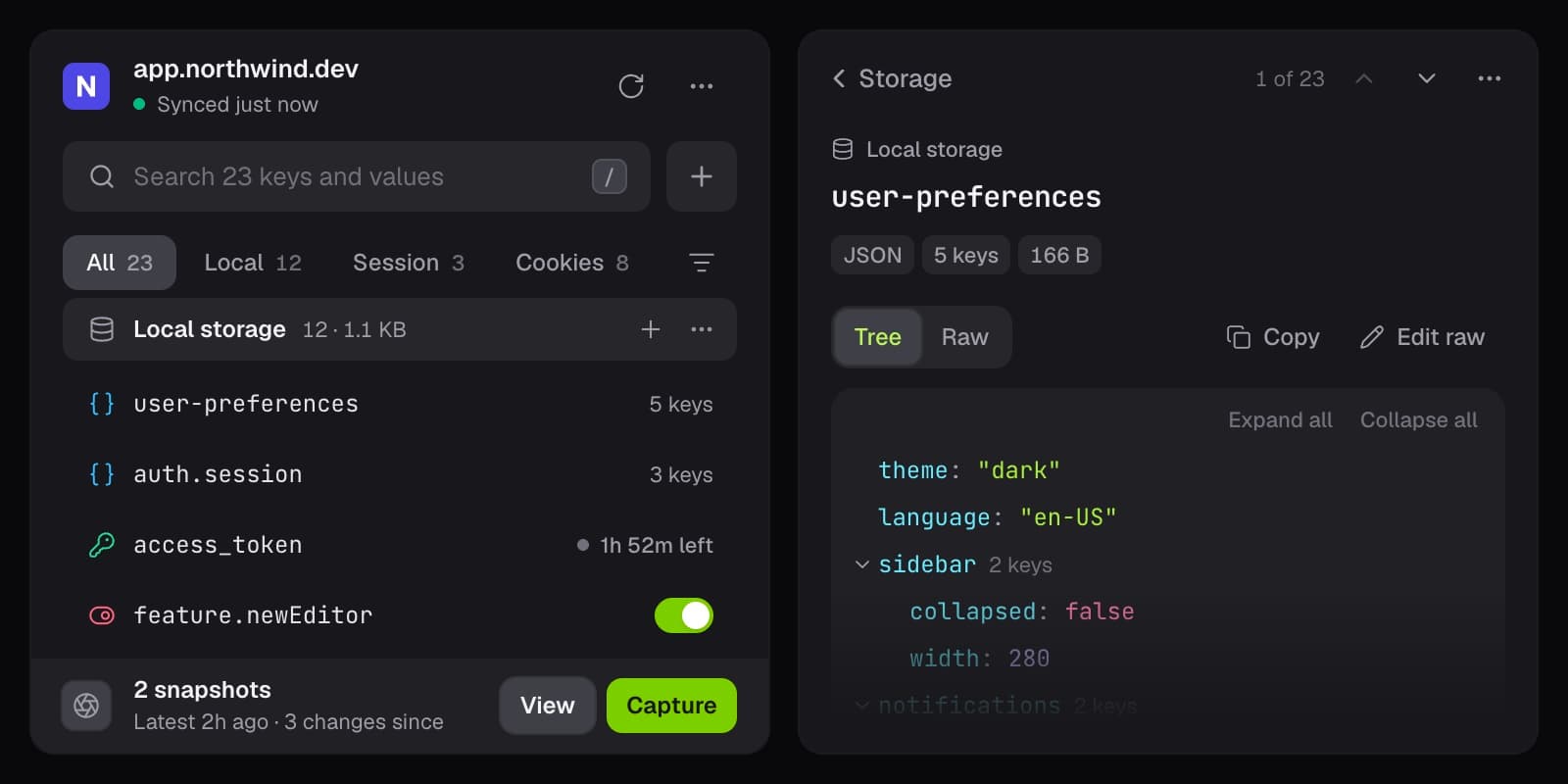
Live storage & cookie editor
localStorage, sessionStorage, and cookies in one list, each value typed at a glance. Flip flags in place, edit nested JSON as a tree, and step through keys with J and K.
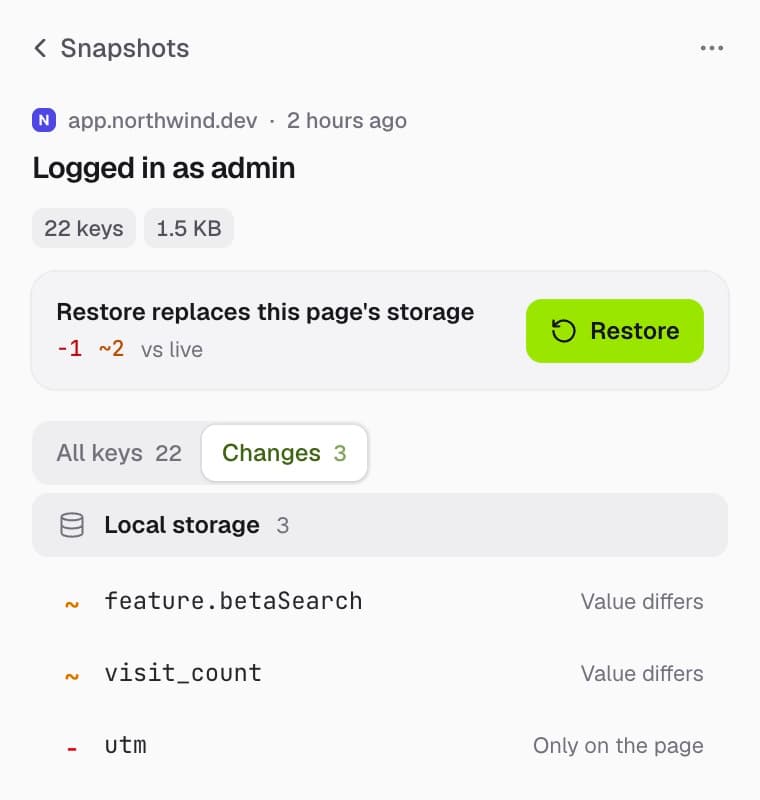
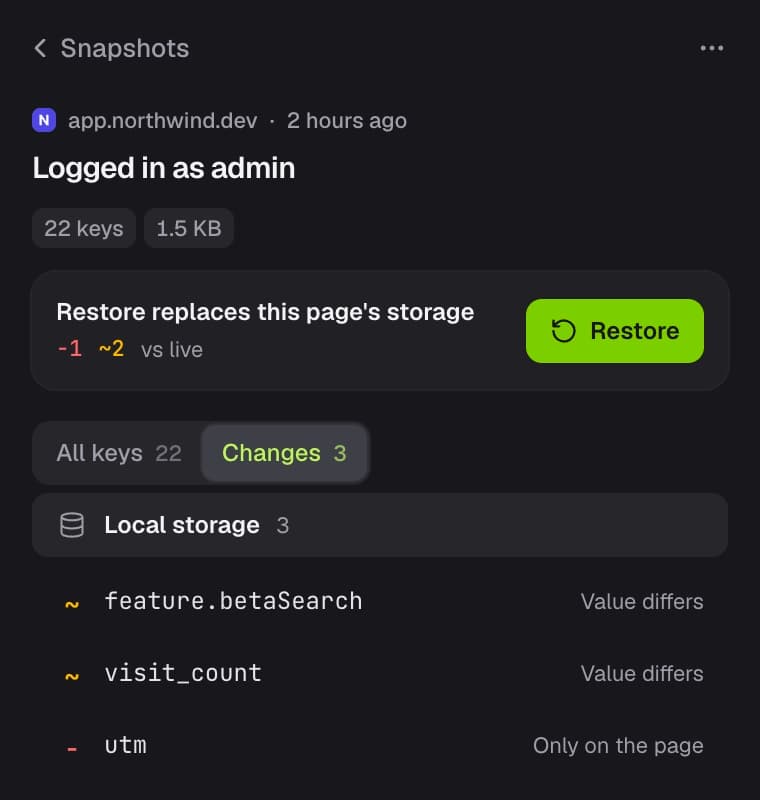
Snapshot, compare, restore
Capture every value in one click. Compare a snapshot with the live page to see exactly which keys changed, then restore it or export it as JSON.
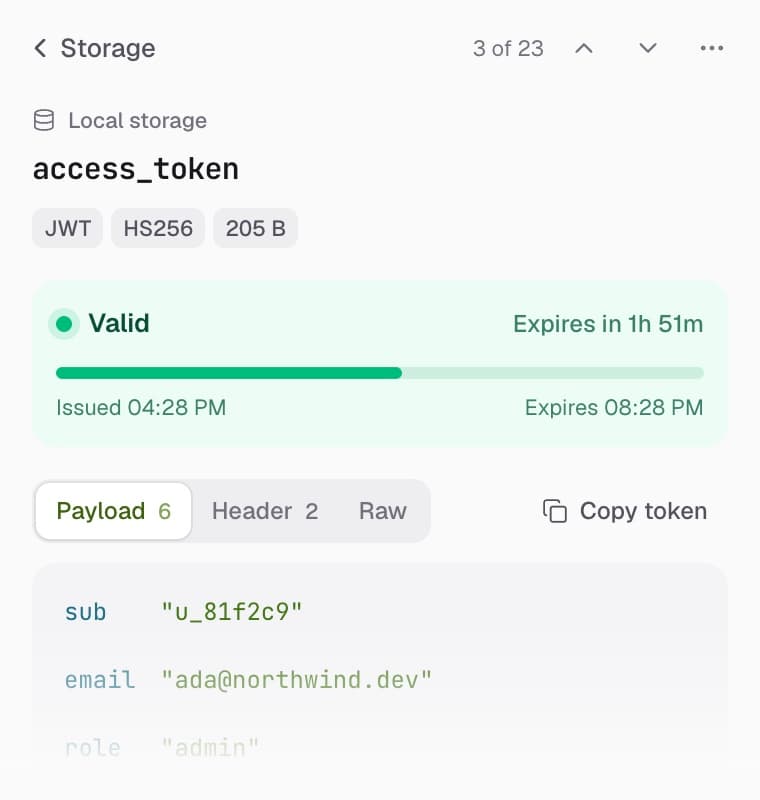
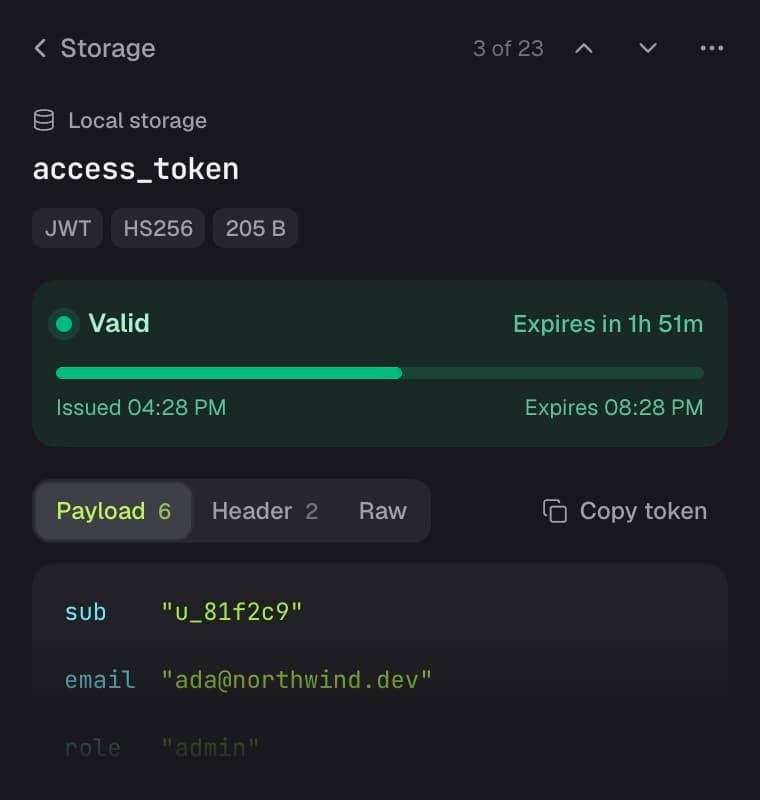
Automatic value decoding
JWTs, JSON, timestamps, Base64, and URL-encoded values, detected and decoded. Tokens show their claims and a live countdown to expiry.
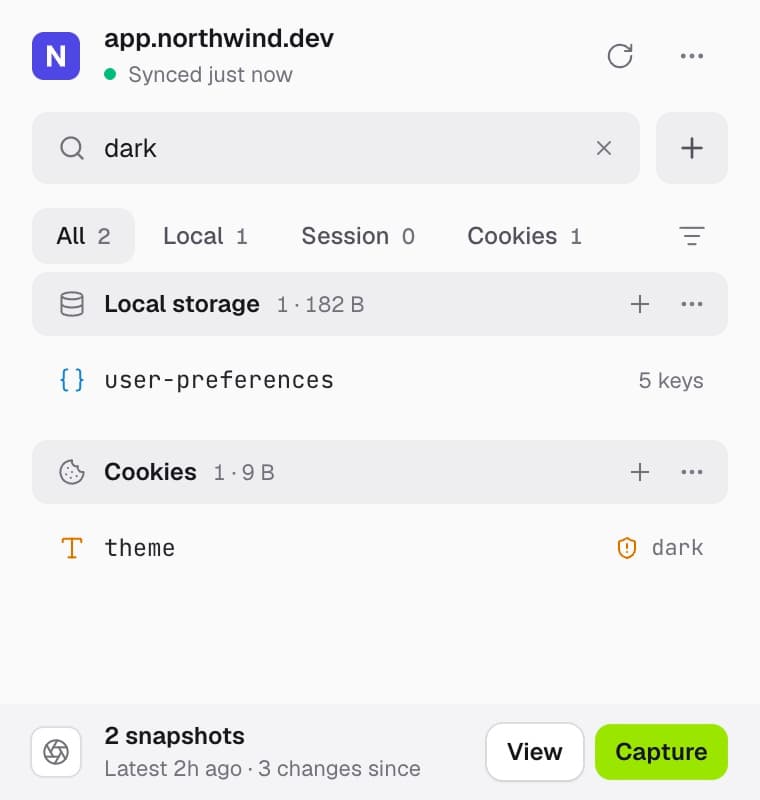
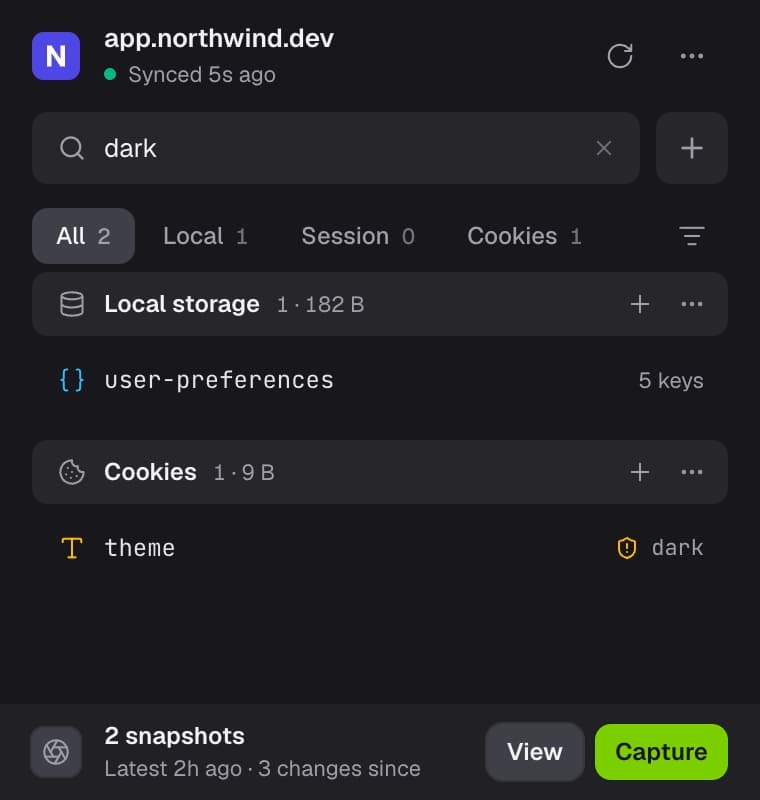
Search keys and values
Find that one flag instantly. Press / and type: StorageKit matches inside values, not just key names.
100% local. Forever.
No network calls, no analytics, no account. Nothing it reads ever leaves your machine.
How it compares to the alternatives
The Application panel can read your storage, and for a quick look it's fine. Here is where the three options actually differ.
Where it lives
- StorageKit
- Docked side panel
- Application panel
- Inside DevTools
- Other extensions
- Popup window
All three storage types in one list
- StorageKit
- Local, session, cookies
- Application panel
- Separate trees
- Other extensions
- Varies
Editing nested JSON values
- StorageKit
- Visual tree editor
- Application panel
- Raw text only
- Other extensions
- Rarely
JWT decoding
- StorageKit
- Automatic, with algorithm
- Application panel
- No
- Other extensions
- Rarely
Save and restore snapshots
- StorageKit
- Yes, scoped per site
- Application panel
- No
- Other extensions
- Rarely
Compare a snapshot with the live page
- StorageKit
- Key by key
- Application panel
- No
- Other extensions
- Rarely
Export and import as JSON
- StorageKit
- Yes
- Application panel
- No
- Other extensions
- Some
Search inside values
- StorageKit
- Keys and values
- Application panel
- Keys and values
- Other extensions
- Usually keys only
Size and item count per type
- StorageKit
- Yes
- Application panel
- Partial
- Other extensions
- Varies
Cookie attributes
- StorageKit
- Full detail, read-only
- Application panel
- Editable
- Other extensions
- Varies
Duplicate key warning
- StorageKit
- Yes
- Application panel
- No
- Other extensions
- Rarely
Quota errors explained in place
- StorageKit
- Yes
- Application panel
- No
- Other extensions
- Rarely
IndexedDB and Cache Storage
- StorageKit
- Not yet
- Application panel
- Yes
- Other extensions
- Some
Extensions vary widely, so that column describes what is common rather than any one product.
Made for the moments you debug most
Not just storage management, but workflows for the things you actually do.
Switch accounts without re-logging in
Snapshot your signed-in state. Test as admin, restore as a regular user, repeat. No log-in dance.
- 1Sign in as the user you want to capture
- 2Click Capture in the snapshot bar
- 3Switch accounts or log out
- 4Restore brings the whole session back
1{2"name": "admin-session",3"items": 14, // all three types4"size": "3.2 KB"5}6// restore it after any logoutLoved by developers
5.0 from all 12 ratings on the Chrome Web Store.
- Rated 5 out of 5.
“Clean UI, good performance, and very practical features. It improved my workflow a lot.”
Shafiq Farokhi
- Rated 5 out of 5.
“Nice extensions for All developers, I use it and it look amazing and useful. Thanks to developer.”
Mohammad Emad Rasooli
- Rated 5 out of 5.
“Really handy tool for day-to-day debugging. Saving and restoring snapshots is a huge time-saver.”
Ab.Raziq Quraishi
- Rated 5 out of 5.
“Much easier to manage browser storage than using DevTools.”
Monira Karimi
- Rated 5 out of 5.
“Very efficient tool.”
Mujtaba Sadat
- Rated 5 out of 5.
“I was tired of going through DevTools just to change a single value. A handy tool for inspecting browser storage.”
Mohammad Hojjat Mahdave
- Rated 5 out of 5.
“It has made debugging much easier. With this extension, everything is in one place and clearly organized.”
Zalmai Yaghoobi
- Rated 5 out of 5.
“I love how the storage inspection and snapshot come in one place.”
Omid Ibrahimy
- Rated 5 out of 5.
“Very useful extension for developers. Clean interface and simple to use. Great work by the developer!”
Sohrab Rokhshan
- Rated 5 out of 5.
“Great, handy tool.”
Mohsen Amani
Help keep StorageKit free
I build StorageKit on my own, with no ads and no paid tier. If it saves you time, a one-time sponsorship on GitHub helps me keep building it.
Any amount
One timeSay thanks
Pick what it's worth to you. GitHub adds a Public Sponsor achievement to your profile.
Choose an amount$50
One timeYour name on the website
Your logo or name on storagekit.dev as a project sponsor.
Sponsor $50

Checkout happens on GitHub Sponsors. Prefer to give monthly? Sponsor from $5 a month
Frequently asked questions
Everything worth knowing before you install.
Q01How is this different from Chrome's Application panel?
The Application panel can read and edit your storage, and for a quick look it's fine. StorageKit adds the parts it doesn't have: snapshots you can restore after a logout, automatic JWT decoding, a real nested-JSON editor, search that matches values and not just key names, and all three storage types in one list. It also stays docked beside your page instead of taking over half your window. Application still wins on IndexedDB and Cache Storage, which StorageKit doesn't cover yet.
Q02Why does it need access to all websites?
Reading localStorage and sessionStorage requires a content script running in the page's own context, and that page could be any site you're debugging, so the manifest declares <all_urls>. Chrome shows this as “Read and change all your data on all websites” at install. StorageKit reads storage and cookies, and nothing else: there are no network calls anywhere in the code, so nothing it reads can leave your machine.
Q03Where do I find it after installing?
Click the puzzle-piece icon in the Chrome toolbar and pin StorageKit, since Chrome hides new extensions there by default. Then click the icon for a quick look, or choose “Open in side panel” to dock it next to your page. One caveat: any tab you had open before installing needs a refresh before the extension can read it.
Q04Is StorageKit free?
Yes, completely free. No premium tiers, no feature limits, no hidden costs. If it saves you time, you can support it with a one-time sponsorship on GitHub.
Q05Does it work on other browsers?
It works on Chrome and all Chromium-based browsers: Edge, Brave, Arc, Opera, Vivaldi, and the rest. On Edge, the Chrome Web Store first shows an “Allow extensions from other stores” button. Click it once, then install as usual. Firefox and Safari aren't supported yet, but both are coming soon.
Q06Is my data sent anywhere?
No. Everything stays in your browser. Zero analytics, zero tracking, zero network calls. Your data never leaves your machine.
Q07How are snapshots stored?
In the extension's own local storage, so they persist across sessions on this machine. They don't sync across devices, and clearing browser data clears them, so export anything you can't afford to lose as a JSON file.
Q08Can I use it on any website?
Yes, on any regular website. It can't access restricted browser pages (like the Chrome Web Store itself) due to browser security policies.
Keep your storage open.
Free and fully local. Built by a developer who got tired of digging through the Application panel.
No signup · No config · Works on any site you can open